
Source Time Series
The time series for a source is edited on this form. A source can have an overall time series representing a single event, such as the firing of an airgun.
Data Import
Section titled “Data Import”Data may be imported from a WAV file. The WAV file’s sampling rate will be used. For stereo files, the first (left) channel is imported. Since WAV file data is limited to the range -1.0 to 1.0, pressure must be scaled after the import. Enter a scaling value to scale the imported samples to the correct pressure.
Alternatively, data can be imported from a text file containing the individual samples on separate lines. The values should be given in Pascals, as shown in the example below:
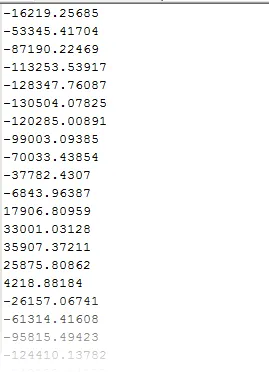 Image 1: Example of time series samples in Pascals.
The sample rate value is used to filter the signal into frequency bands. The count value specifies the number of impulse events (e.g. pile strikes) — this is used to calculate cumulative SEL and is applied at each source position for moving sources.
After import, the form displays the derived levels: SEL, SPL peak, and SPL peak-to-peak, along with the frequency band breakdown.
Mitigation
Section titled “Mitigation”Mitigation is entered for each frequency band, and dBSea recalculates the band-filtered time series data with these mitigation values during the solve phase. As with the source spectrum page, positive values of mitigation result in a reduction of sound level in that frequency band.
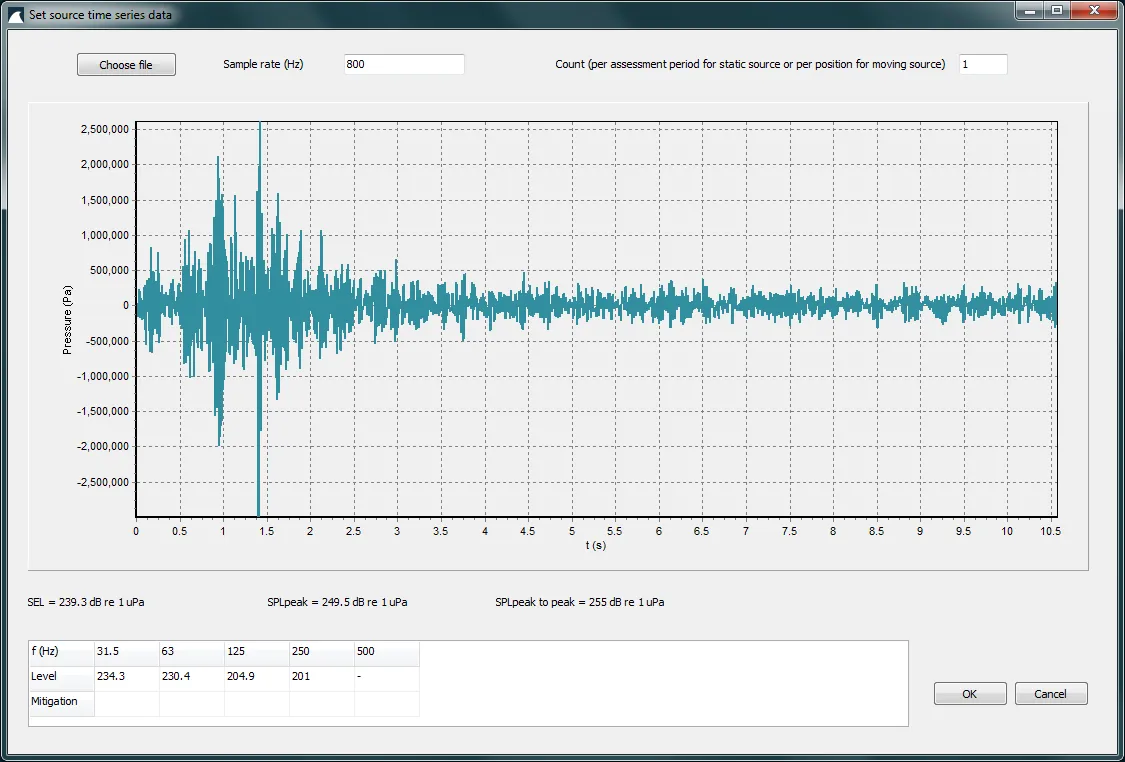 Image 2: Source time series form used for mitigation adjustments.