
Source Spectrum
The spectrum and overall level of a sound source are edited on this page. A source is composed of 1 or more pieces of equipment. A maximum of 4 different types of equipment may be combined, and there may be any number of each type of equipment. To select equipment, press the Add Equipment buttons. This will bring up the page Equipment. Alternatively, equipment spectra can be generated from parametric noise source models.
Levels may be directly edited if desired. Click on the appropriate cells and enter the levels. Note that it is not possible to directly enter an overall level, only levels of individual frequency components can be entered, and the overall level is summed from these contributions.
Increasing the entry in the Count column multiplies the given row by that factor, this is used for multiple collocated sound sources of the same type.
The Duty column specifies the percentage of time that the given equipment is active during the assessment time period.
The Level type options are Source level dB SL @ 1m, Source power level dB SWL Lw and Sound exposure level dB SEL @ T0 = 1s, 1m. Levels are stored internally as source level (SL) and re-displayed in the selected type: SWL is SL − 50.8 dB, and SEL is SL + 10·log10(T) where T is the Assessment period for source (s) on this page (a Set to... menu offers 1 second, 1 hour and 24 hours). Choose the level type and, for SEL, the assessment period before entering levels so the values are interpreted as intended. Note that changing Assessment period for results in Preferences sets the source assessment period of every source to the same value. See the FAQ on impulsive sources for how the two periods interact.
Crest factor
Section titled “Crest factor”The Crest factor (Peak dB > RMS) is a way to incorporate impulsiveness information into a frequency-domain source. It is the number of dB by which the highest peak in the signal exceeds the RMS level, and defaults to 0 dB for a new source. It is a single value added to all frequency bands, and is used only when the display level type is Max sound pressure level dB SPL 1s (Preferences → Sound levels display); changing to or from that level type requires a re-solve. Levels of this type are unweighted, have no predefined thresholds, and are combined across sources and moving-source positions as a maximum rather than an energy sum. If you are interested in finding peak values please consider doing a time series solve instead, as it uses the actual signal and not derived information.
Mitigation
Section titled “Mitigation”It is possible to add mitigation (attenuation, such as bubble curtains) to this source, by clicking on the button Add mitigation. Mitigation may be entered as a constant value across all frequencies, or by choosing mitigation spectra from the library. Positive mitigation values indicate reductions in emitted sound power level.
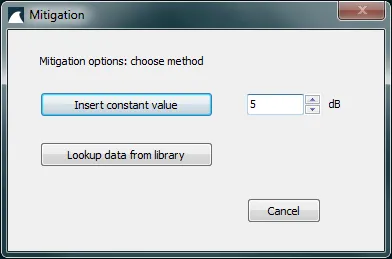
Image 1: Mitigation window.
Copy to clipboard
Section titled “Copy to clipboard”The contents of the table may be copied to the clipboard with the button Copy to clipboard.
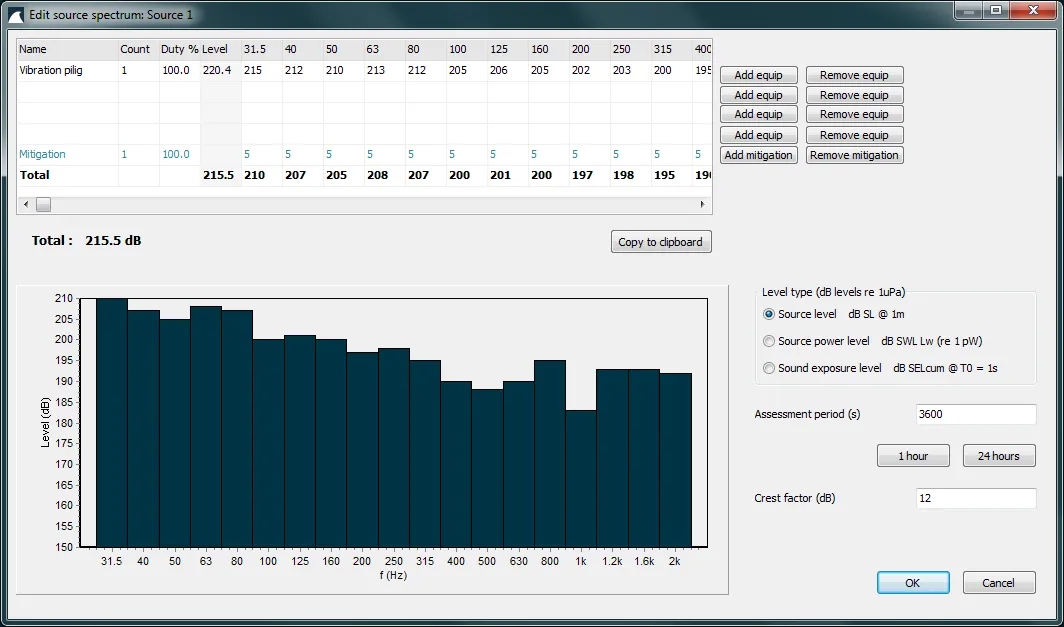
Image 2: Edit source spectrum window.
Reference
Section titled “Reference”- NOAA. Technical Guidance for Assessing the Effects of Anthropogenic Sound on Marine Mammal Hearing. NOAA Technical Memorandum NMFS-OPR-55, 2016.